> For the complete documentation index, see [llms.txt](https://cityweft.gitbook.io/docs/llms.txt). Markdown versions of documentation pages are available by appending `.md` to page URLs; this page is available as [Markdown](https://cityweft.gitbook.io/docs/geometry/surface.md).
# Surface
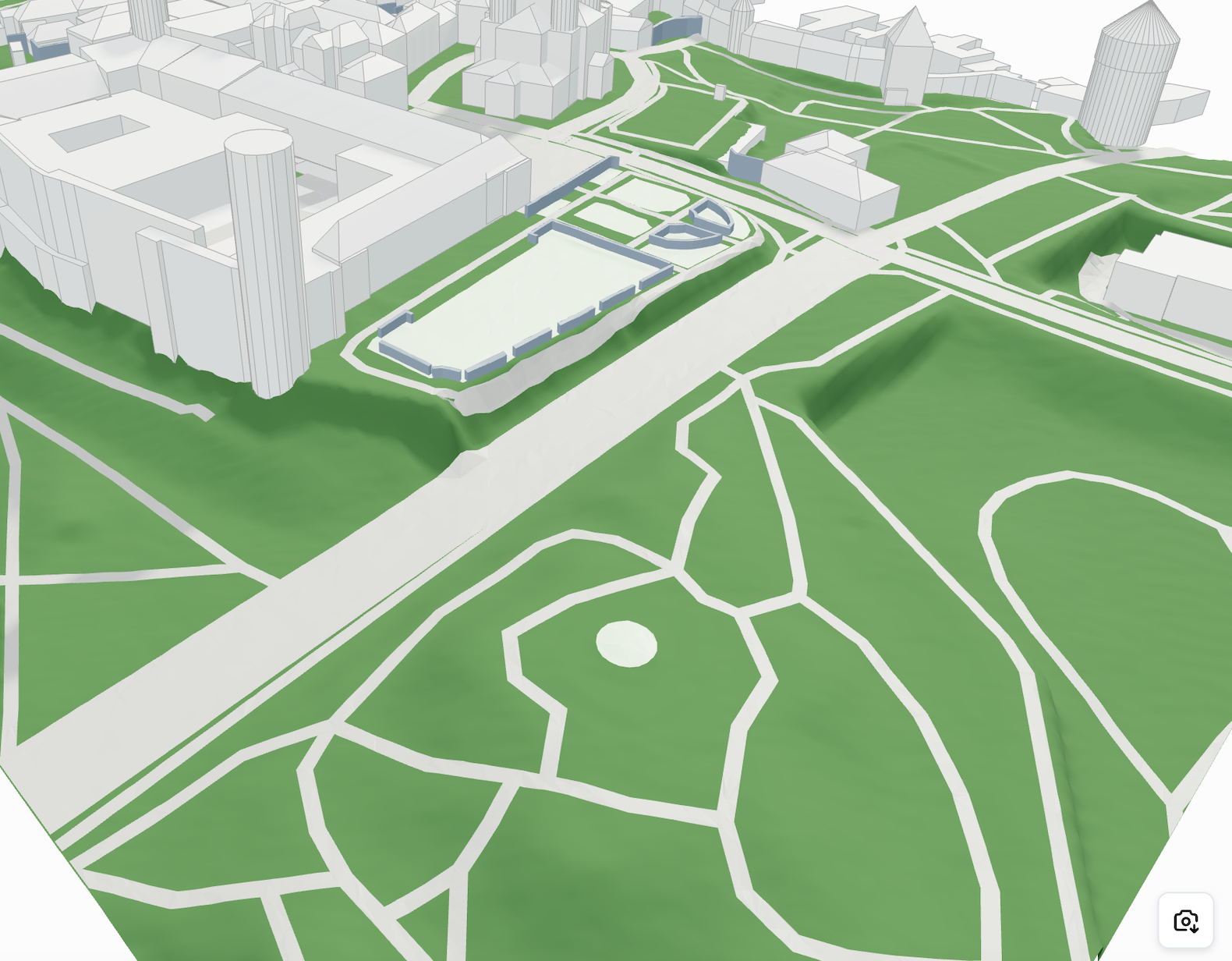
Surfaces are meshed geometries representing area features such as zones and pathways. They are delivered as optimized meshes aligned with the terrain.
Geometry Type: `meshes`
```javascript
{
"type": "surface",
"geometryType": "meshes",
"meshes": Mesh[]
},
```
What does a surface mesh element contain? This is the example:
```javascript
{
// The most important element of any meshed geometry for visualization
"vertices": [x1, y1, z1, x2, y2, z2, ...],
"descriptor": { "type": "asphalt", ... }
},
```
### Available types
| Type | Description |
| ------------------------ | ----------------------------------------------------- |
| **path** | Roads, footways, cycleways, railways (see `pathType`) |
| **asphalt** | Paved surfaces like roads |
| **roadwayIntersection** | Junctions of roads |
| **roadwayArea** | Areas designated for roads |
| **pavement** | Footpaths or sidewalks |
| **water** | Bodies of water |
| **waterway** | Rivers, streams and canals |
| **farmland** | Agricultural land |
| **grass** | General grassy surfaces |
| **sand** | Sandy areas |
| **rock** | Rocky terrain |
| **pitch** | Sports fields |
| **manicuredGrass** | Well-maintained lawns |
| **helipad** | Helicopter landing areas |
| **forest** | Densely wooded areas |
| **garden** | Decorative or functional gardens |
| **construction** | Areas under construction |
| **buildingConstruction** | Building sites |
| **shrubbery** | Areas with shrubs |
The full list of per-type descriptor properties (lanes, materials, widths, …) lives at [Metadata (Descriptors)](/docs/basics/metadata-descriptors.md).
{% hint style="success" %}
**New:** with the `surfaceTypes` setting, surfaces can also be delivered as draped **polylines** — centerlines and outlines, alongside or instead of the meshes. See [Surface Lines](/docs/geometry/surface-lines.md).
{% endhint %}
{% hint style="warning" %}
When a topography model is requested, all surfaces are projected onto it, which can significantly increase the size of the resulting surface data. To optimize performance, consider disabling projection when it’s not needed. More info: [Customizations](/docs/basics/customizations.md)
{% endhint %}
Projected Surfaces
An example of filtering by type in Three.js:
```javascript
const material = new THREE.MeshStandardMaterial({
color: mesh.descriptor.type === "asphalt" ? "#dc0d0d" : getRandomColour(),
});
```