# Topography
Geometry Type: `meshes`
```javascript
{
"type": "buildings",
"geometryType": "meshes",
"meshes": Mesh[]
},
```
Geometry Type: `elevationMaps`
{% hint style="info" %}
Recommended to use if possible. \~94% of data saving in comparison to topography in meshes
{% endhint %}
```javascript
{
"type": "buildings",
"geometryType": "elevationMap",
"elevationMap": ElevationMap[]
},
```
What does an `Mesh` element contain? This is the example:
```javascript
{
// The most important element of any meshed geometry for visualization
"vertices": [x1, y1, z1, x2, y2, z2, ...],
},
```
What does an `ElevationMap` element contain? This is the example:
```javascript
{
// The most important element of any meshed geometry for visualization
"elevationMap": [x1, x2, x3, ...],
"info": {
"width": 689.8214354910813,
"height": 948.5044738001429,
"segmentsWidth": 36,
"segmentsHeight": 99,
"moveVector": {
"x": 201.72051196591372,
"y": 278.19513356037794
},
},
},
```
| Name | Value |
| ------------------------------ | --------------------------------------------------- |
| width / height | height and width in meters of the topographic array |
| segmentsWidth / segmentsHeight | number of segments in elevationMap |
| moveVector | position of elevationMap |
{% hint style="warning" %}
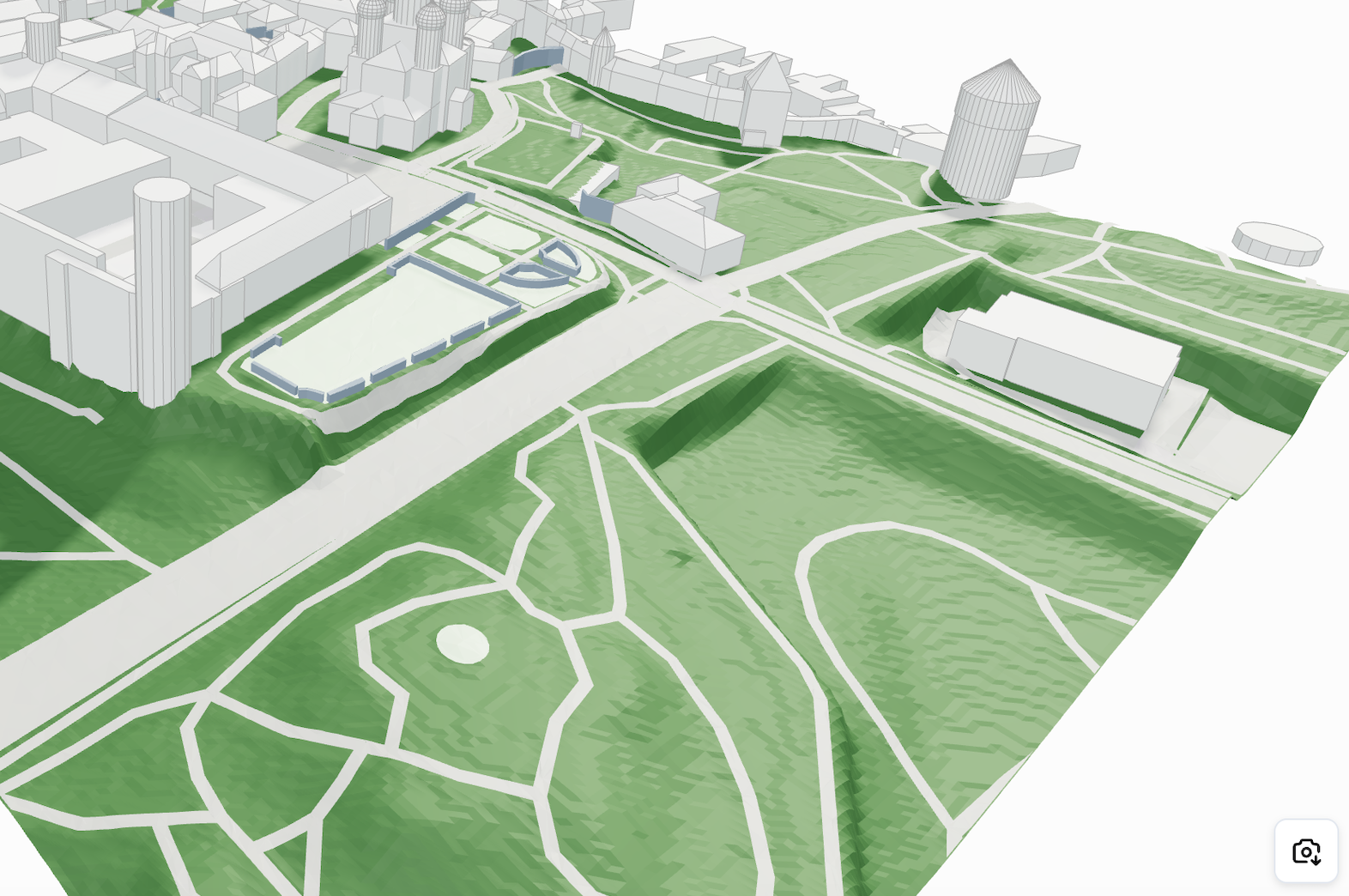
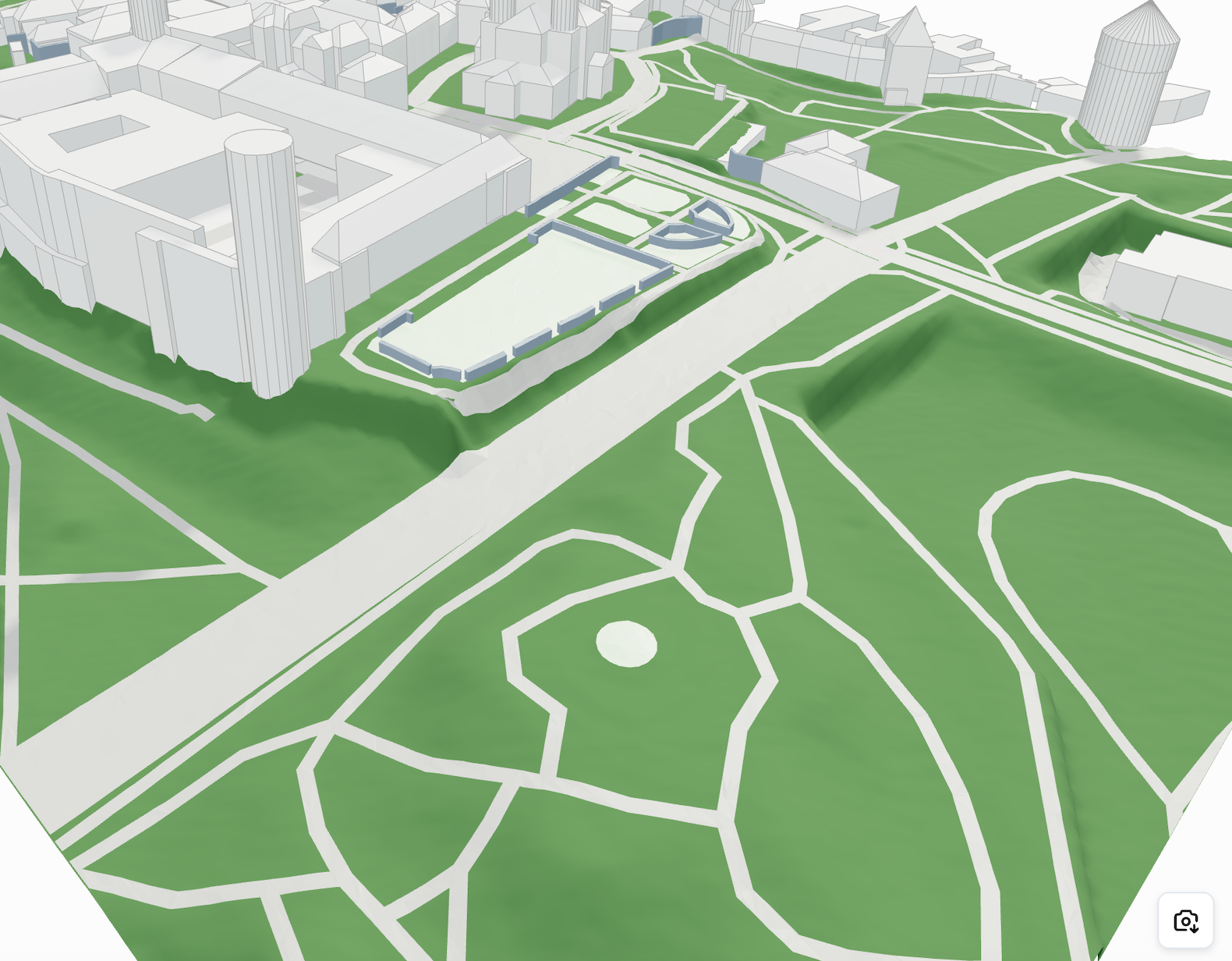
Using an `elevationMap` array instead of a mesh for topography offers better performance and visual quality, especially in Three.js. With `PlaneGeometry`, elevation data can be applied directly to create smooth, continuous surfaces with fewer artifacts, and it's easier to control resolution, level of detail, and styling dynamically.
{% endhint %}
| | |
| ----------------------------------------------------------------------------------------------------------------------------------------------------------------------------------------------------------------------------------------------------------------------------------------------------------------------------------- | ------------------------------------------------------------------------------------------- |
| | **Mesh:** Bumpy geometry, large file size |
| | **Plane geometry with elevation maps:** Smooth surface, optimized performance and file size |
#### Elevation Map Example in Three.js
```javascript
// Assuming you have received geometry with elevationMap data
const { elevationMap, info } = geometry;
const { terrainSize, segmentsCount, moveVector } = info;
// Create plane geometry
const planeGeometry = new THREE.PlaneGeometry(
terrainSize,
terrainSize,
segmentsCount,
segmentsCount
);
// Apply elevation map
if (elevationMap && elevationMap.length > 0) {
const positionAttribute = planeGeometry.attributes.position;
for (let i = 0; i < positionAttribute.count; i++) {
const vertex = new THREE.Vector3();
vertex.fromBufferAttribute(positionAttribute, i);
if (elevationMap[i] !== undefined) {
vertex.z = elevationMap[i];
positionAttribute.setXYZ(i, vertex.x, vertex.y, vertex.z);
}
}
positionAttribute.needsUpdate = true;
planeGeometry.computeVertexNormals();
}
// Create material
const material = new THREE.MeshStandardMaterial({
color: 0x95a5a6,
wireframe: false,
side: THREE.DoubleSide
});
// Create mesh
const terrain = new THREE.Mesh(planeGeometry, material);
// Add to scene
scene.add(terrain);
```
---
# Agent Instructions: Querying This Documentation
If you need additional information that is not directly available in this page, you can query the documentation dynamically by asking a question.
Perform an HTTP GET request on the current page URL with the `ask` query parameter:
```
GET https://cityweft.gitbook.io/docs/geometry/topography.md?ask=
```
The question should be specific, self-contained, and written in natural language.
The response will contain a direct answer to the question and relevant excerpts and sources from the documentation.
Use this mechanism when the answer is not explicitly present in the current page, you need clarification or additional context, or you want to retrieve related documentation sections.