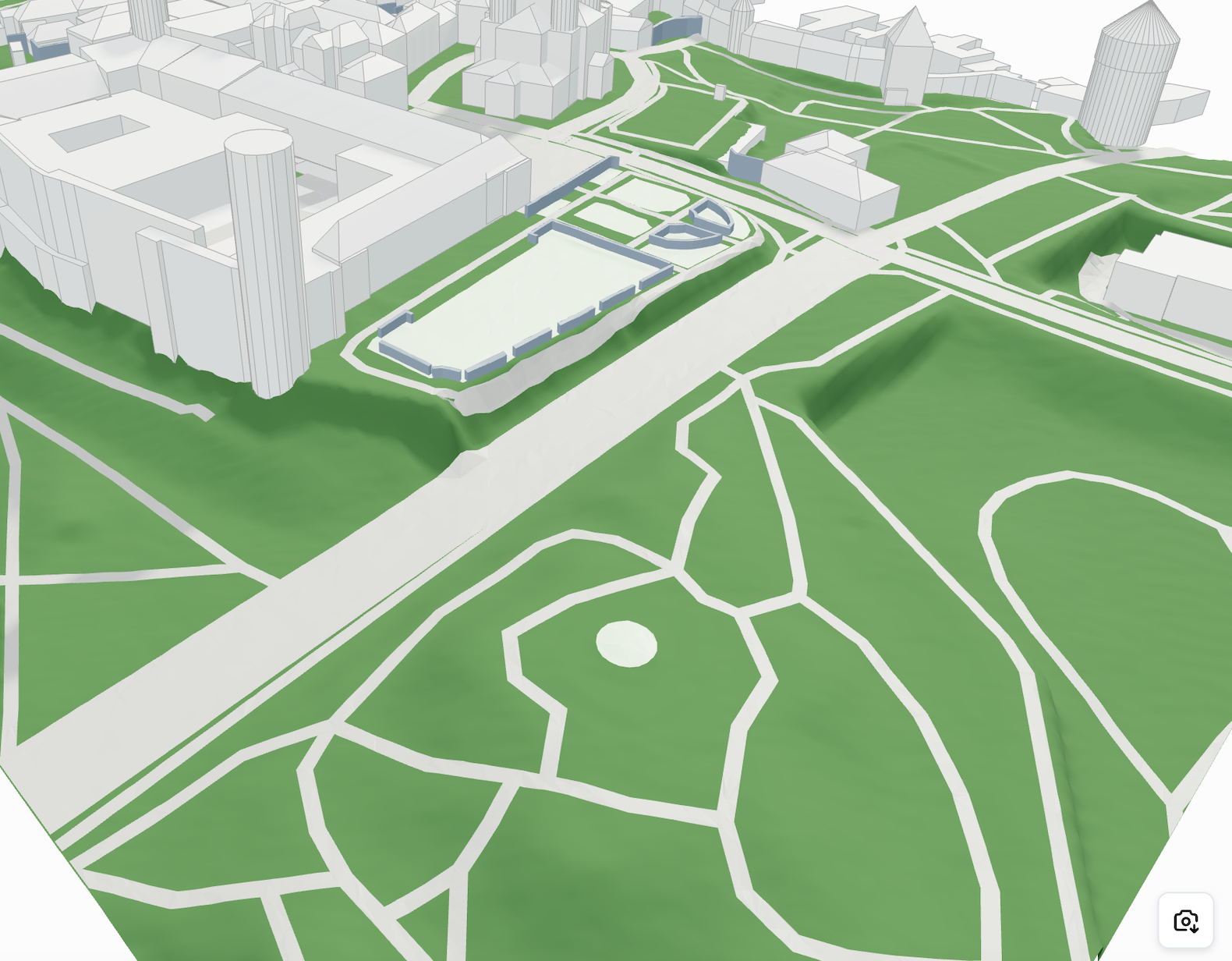
# Surface
Geometry Type: `meshes`
```javascript
{
"type": "surface",
"geometryType": "meshes",
"meshes": Mesh[]
},
```
What does a surface mesh element contain? This is the example:
```javascript
{
// The most important element of any meshed geometry for visualization
"vertices": [x1, y1, z1, x2, y2, z2, ...],
"type": string
},
```
### Available types
| Type | Description |
| ------------------------ | -------------------------------- |
| **asphalt** | Paved surfaces like roads |
| **roadwayIntersection** | Junctions of roads |
| **pavement** | Footpaths or sidewalks |
| **water** | Bodies of water |
| **farmland** | Agricultural land |
| **grass** | General grassy surfaces |
| **sand** | Sandy areas |
| **rock** | Rocky terrain |
| **pitch** | Sports fields |
| **manicuredGrass** | Well-maintained lawns |
| **helipad** | Helicopter landing areas |
| **forest** | Densely wooded areas |
| **garden** | Decorative or functional gardens |
| **construction** | Areas under construction |
| **buildingConstruction** | Building sites |
| **shrubbery** | Areas with shrubs |
| **roadwayArea** | Areas designated for roads |
{% hint style="warning" %}
When a topography model is requested, all surfaces are projected onto it, which can significantly increase the size of the resulting surface data. To optimize performance, consider disabling projection when it’s not needed. More info [customizations](https://cityweft.gitbook.io/docs/basics/customizations "mention")
{% endhint %}
Projected Surfaces
An example of filtering by type in Three.js:
```javascript
const material = new THREE.MeshStandardMaterial({
color: mesh.descriptor.type === "asphalt" ? "#dc0d0d" : getRandomColour(),
});
```
---
# Agent Instructions: Querying This Documentation
If you need additional information that is not directly available in this page, you can query the documentation dynamically by asking a question.
Perform an HTTP GET request on the current page URL with the `ask` query parameter:
```
GET https://cityweft.gitbook.io/docs/geometry/surface.md?ask=
```
The question should be specific, self-contained, and written in natural language.
The response will contain a direct answer to the question and relevant excerpts and sources from the documentation.
Use this mechanism when the answer is not explicitly present in the current page, you need clarification or additional context, or you want to retrieve related documentation sections.